Web & Content
What should a mediator's website include? A practical checklist
By Alex Lawrence · 23 October 2026 · 6 min read
Most people looking for a mediator aren’t browsing casually. They’re in the middle of a dispute, often stressed, sometimes sceptical, and usually comparing several options at once. Many have never used mediation before and aren’t sure what it involves.
That gives your website a specific job. It needs to explain mediation clearly, make you feel trustworthy and approachable, and make getting in touch feel easy. A site that looks fine but does none of these things will get visits without enquiries.
Here’s what a mediator’s website should include, based on my work in the mediation sector and what consistently makes the difference.
1. A clear statement of who you help and how
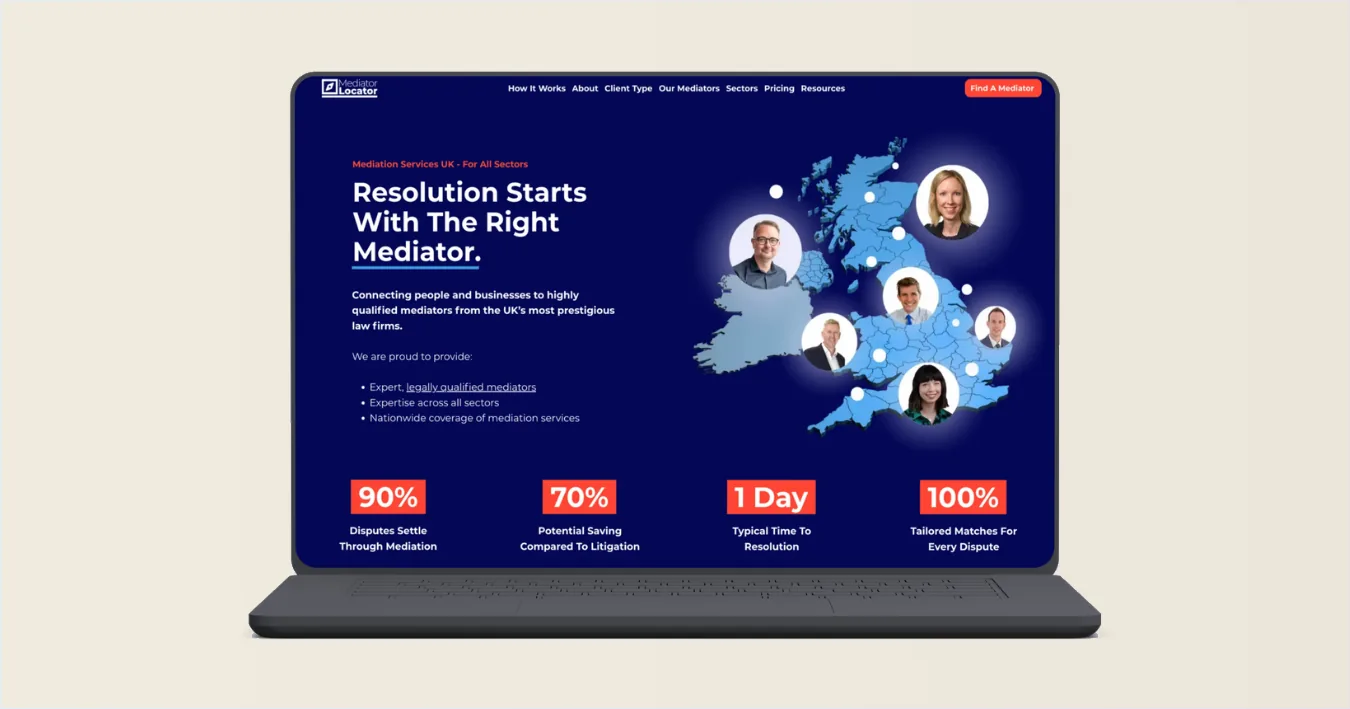
Within a few seconds of landing on your homepage, visitors should know what kind of mediation you offer and whether you’re right for them. Family, workplace, commercial, civil, community: say which, and say it plainly.
Avoid opening with general statements about the value of resolving conflict. Your visitor already knows they have a conflict. What they want to know is whether you can help with theirs.
Checklist: your homepage headline names your mediation type and who you work with.
2. A plain-English “how mediation works” page
This is the page most mediators underestimate. People are far more likely to get in touch when they can picture what happens next.
Walk them through the process step by step: the first contact, any initial meeting, how sessions run, how long it usually takes, and what happens if you reach an agreement (or don’t). Use everyday language, not legal terms. If you offer initial assessment meetings, such as MIAMs for family mediation in England and Wales, explain what they are and why they matter.
Checklist: a dedicated page explaining the process from first enquiry to outcome.
3. Clear information about fees
Cost is one of the biggest worries for people considering mediation, and a missing fees page often means a lost enquiry. Even if every case is different, explain how your fees work: per session, per party, fixed packages, or hourly. If you accept funding schemes or legal aid, say so prominently.
Being upfront about cost also signals honesty, which matters a lot in a profession built on trust.
Checklist: a fees page that explains how pricing works, even if you can’t give exact figures.
4. Your credentials and accreditation
People want reassurance that you’re qualified. Show your accreditations, memberships and training clearly, whether that’s the Family Mediation Council, the Civil Mediation Council or your country’s equivalent. Logos help, but explain what they mean too. Most clients won’t recognise acronyms.
Checklist: accreditations visible on your homepage and explained on your About page.
5. A human About page
Mediation is personal. People are choosing someone to sit with them through a difficult conversation, so they want to know who you are. Include a professional, friendly photo, your background, why you became a mediator and how you approach your work.
This is often one of the most visited pages on a mediator’s site, so give it real attention.
Checklist: a real photo and a few paragraphs written in your own voice.
6. Reassurance about confidentiality and neutrality
Two concerns come up again and again: “Will this stay private?” and “Will the mediator take sides?” Address both directly, ideally on your homepage and your process page. A short, clear explanation of confidentiality and your role as a neutral third party removes a major barrier to getting in touch.
Checklist: confidentiality and impartiality explained in plain language.
7. An easy way to enquire
Make contacting you as simple as possible. A short enquiry form (name, contact details, type of dispute, a free-text box) works better than a long one. Show your phone number and email too, since some people would rather call.
Just as important: tell people what happens after they enquire. “I’ll reply within one working day to arrange a short, confidential call” turns an uncertain step into a clear one.
Checklist: a short form, visible contact details and a line explaining what happens next.
8. Where and how you work
Do you mediate in person, online, or both? Which areas do you cover? This information is easy to forget but often decides whether someone contacts you. If you work in person, include your locations. If you work online, say so clearly, as it widens your reach.
Checklist: locations and online availability stated on your homepage and contact page.
9. Local SEO basics
Most people search for mediators locally, with searches like “family mediator near me” or “workplace mediation [city]”. To show up, your website needs your location in your page titles and content, a Google Business Profile that links to your site, and consistent contact details everywhere you’re listed online, including mediation directories.
Checklist: location keywords on key pages, a Google Business Profile and consistent listings.
10. Testimonials that respect confidentiality
Reviews build trust, but mediation clients often can’t or won’t be named. Anonymised testimonials work well (“Separated parent, Manchester” or “HR Director, technology company”). Focus on how the client felt during the process and what changed for them.
Checklist: a handful of anonymised testimonials on your homepage and service pages.
11. An FAQ section
FAQs answer common worries before they become reasons not to enquire, and they help your site appear in search results and AI answers. Good questions to include: How long does mediation take? What if the other party won’t take part? Is the agreement legally binding? Do I need a solicitor as well?
Checklist: 5 to 8 FAQs based on the questions clients actually ask you.
12. A site that works well on mobile
Many people will find you on their phone, often late in the evening when the problem is on their mind. Your site needs to load quickly, read easily on a small screen and make the enquiry button easy to tap.
Checklist: test your site on your own phone and try to enquire as a client would.
The quick checklist
Homepage that says who you help and how Plain-English “how mediation works” page Clear explanation of fees Accreditations shown and explained Human About page with a real photo Confidentiality and neutrality explained Short enquiry form, plus what happens next Locations and online availability Local SEO basics and a Google Business Profile Anonymised testimonials FAQ section Fast, mobile-friendly design
If your site ticks most of these, you’re ahead of many mediators. If it doesn’t, the good news is that most of these fixes are about clear content and structure, not complicated technology.
Want a website that brings in enquiries?
I design and build websites for mediators and small practices, start to finish: copy, design, build and local SEO. See how I can help by getting in touch.